February 8, 2026
The First Draft That Actually Feels Right
A fast, repeatable workflow for turning a rough idea into an image you want to keep without losing the spark.
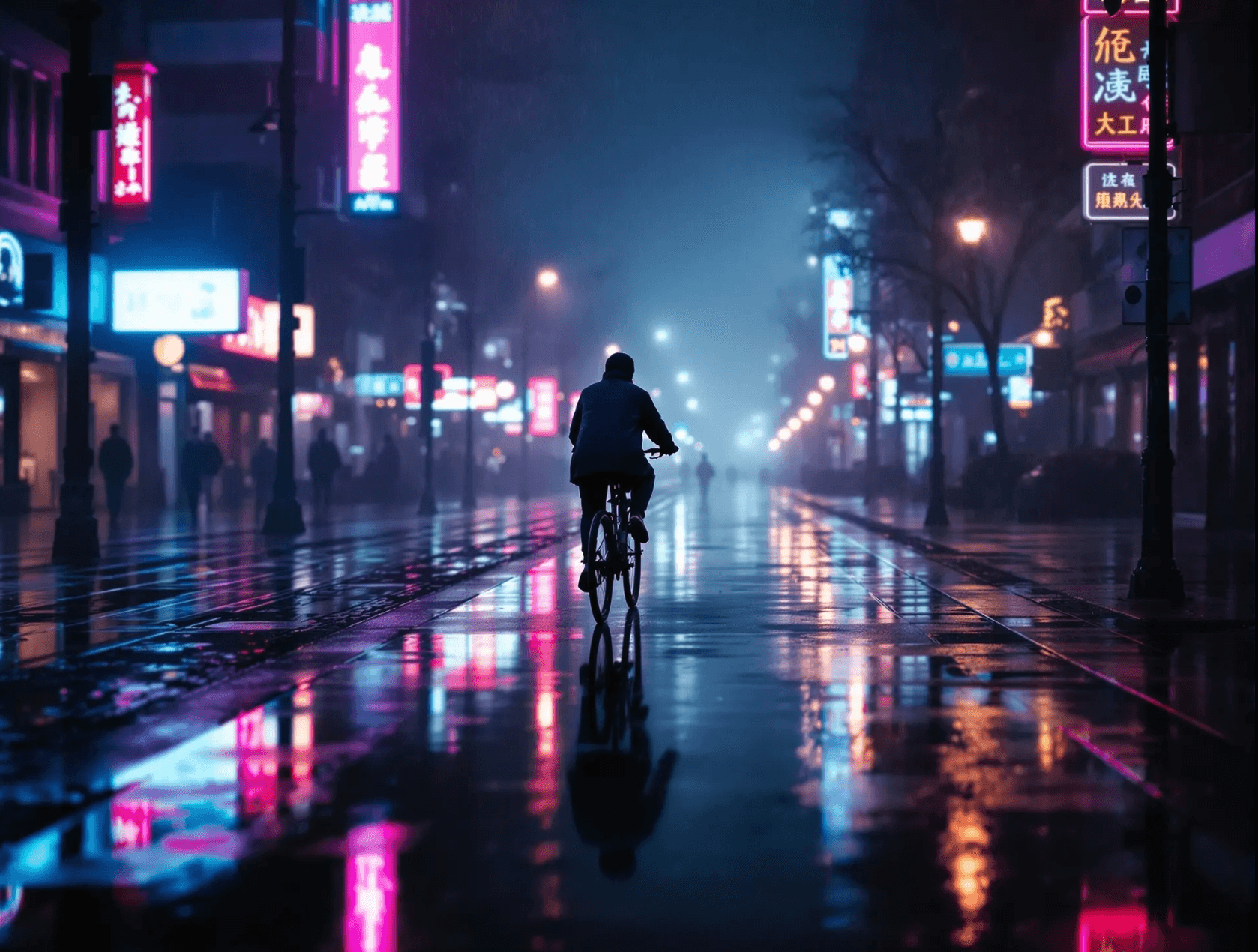
You know the moment: the first image lands and it is almost there, then the next run loses the feeling. The trick is not to add more words. It is to keep the emotional core, then shape everything around it.
How do you keep your first draft honest?
Start with one precise anchor - lighting, lens, or mood - and make every new detail serve that anchor. Keep the prompt short until you see the right atmosphere, then add two targeted modifiers. This keeps the original feeling intact while making the image sharper and more intentional.
The two-sentence prompt test
If your prompt is a paragraph, you are probably trying to solve too many problems at once. Begin with two sentences: one for the scene, one for the mood. Run it once, then ask, "What single change would make this feel more alive?"
Here is an example that kept the mood while upgrading detail:
A rainy neon street at night, a lone cyclist in the distance.
Soft reflections, cinematic haze, 35mm film grain.
Notice how the second sentence does not fight the first. It deepens it. If you want more control over mood, the color-first approach in this guide pairs well with the same two-sentence structure.
If you feel stuck, make one change at a time. The fastest way to lose the vibe is to stack five new ideas in one pass.
The "one detail" move
The most reliable fix is one specific visual detail. Pick something the viewer can feel: "wet asphalt," "warm storefront glow," "wind in the coat." That detail becomes a magnet for the rest of the image.
When you are happy with the feeling, then you can add technical polish. Upscale for clarity. Adjust aspect ratio for framing. But do not rush that step. The mood is the hard part.
A tiny checklist that keeps you on track
Keep this simple:
- One anchor detail
- One mood descriptor
- One visual texture
That is it. Three anchors, one story.
Final takeaway
If your first draft feels close, protect that feeling. Tighten the prompt, add one specific detail, and let the image breathe. Try it on your next idea and see how quickly the results start to feel like "yours." Browse the community gallery to see how others find their style. If you are just getting started with AI image generation, our beginner's complete guide walks through the fundamentals step by step.
Ready to try it yourself?
Create AI images and videos with Myjourney. 100 free credits, no credit card needed.
Related posts
Best AI image generator without subscription 2026
Why Myjourney wins for creators who want top-tier results with transparent, credit-based pricing.

How to Use AI Image Generation: A Beginner's Complete Guide (2026)
Step-by-step guide to using AI image generation tools in 2026. From your first prompt to advanced techniques — everything you need to start creating AI art today.
Liked this post?
Get notified when we publish new guides, tips, and comparisons. No spam.